About this template
Plan the whole wedding in one place: a spreadsheet that does the math for you, plus a matching 37-page printable planner.
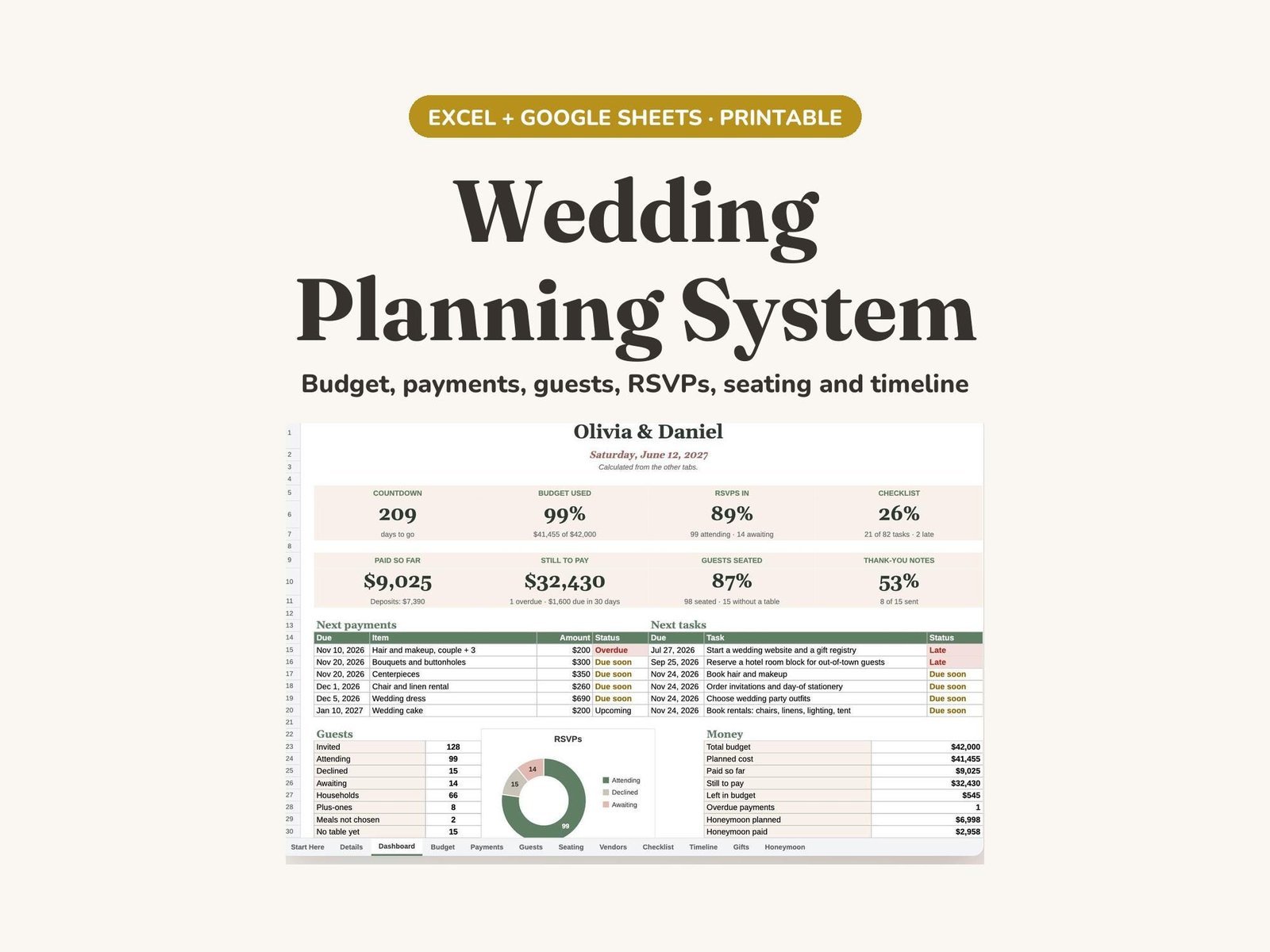
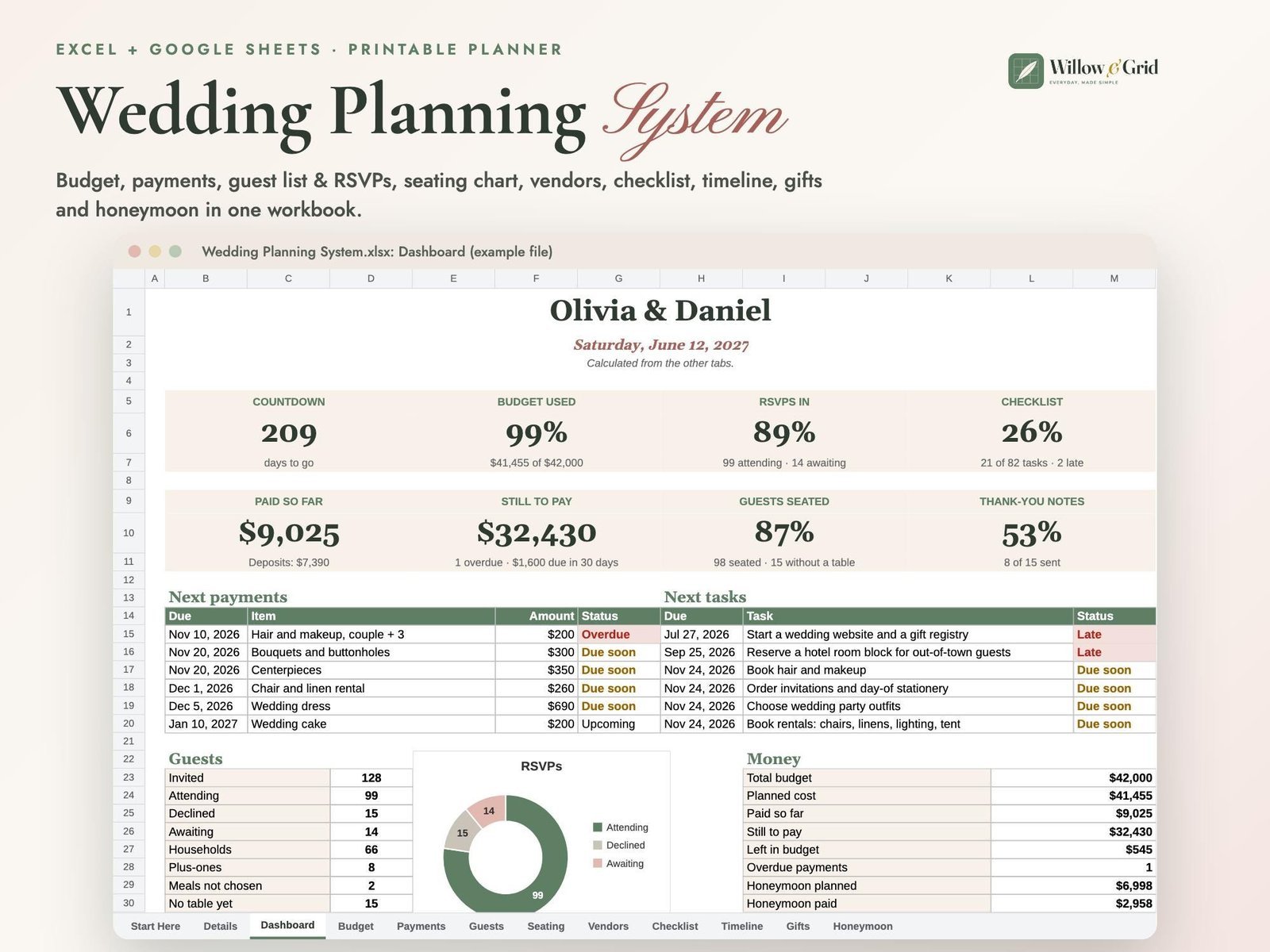
The Wedding Planning System is a workbook for Excel and Google Sheets. Enter your wedding date and total budget once, then fill in costs, payments, guests and tables as you go. Totals, due dates, RSVP counts, meal counts and the seating chart update on their own, and the Dashboard shows where everything stands.
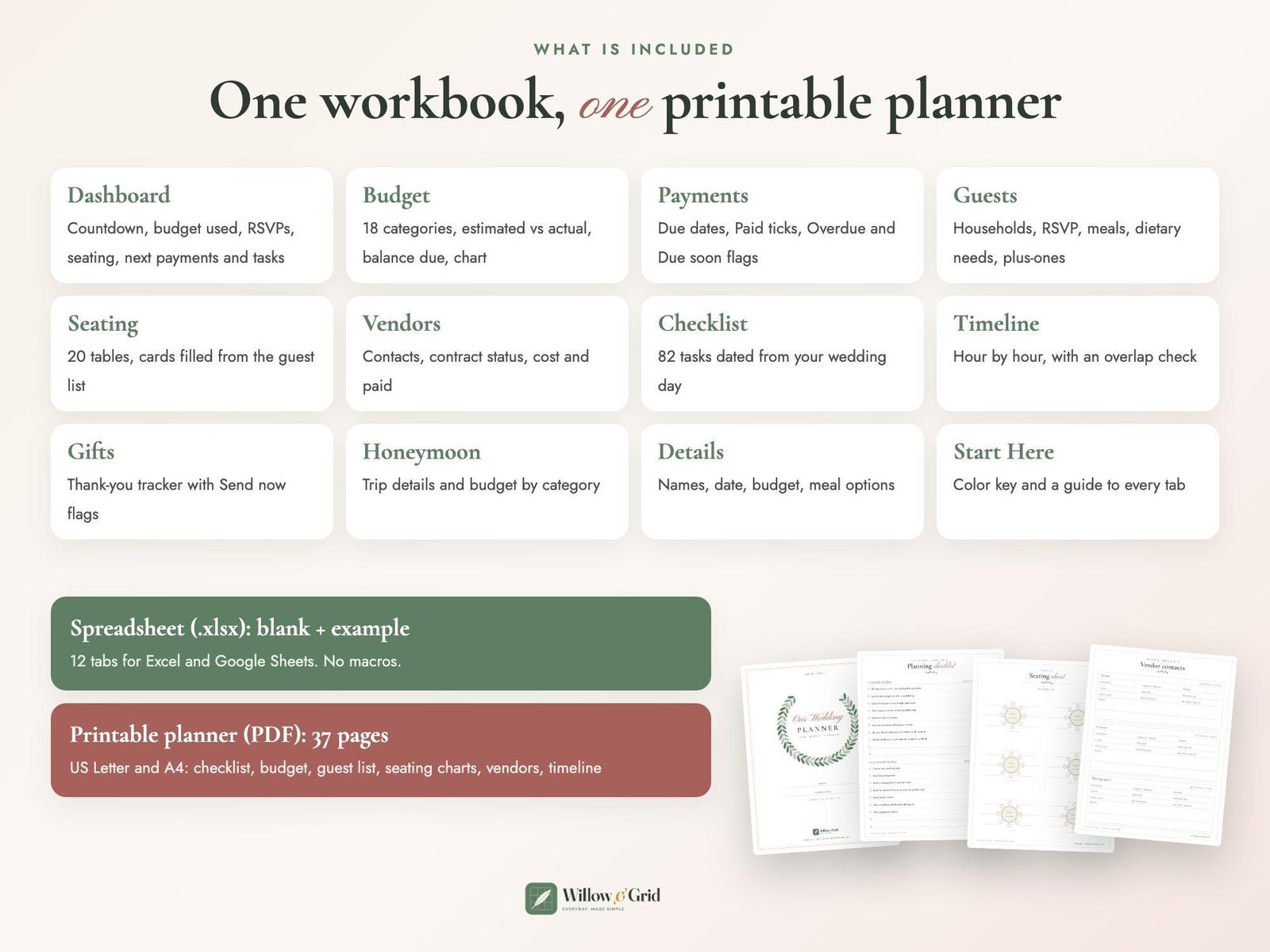
What's in the spreadsheet (12 tabs)
- Dashboard: countdown, budget used, RSVPs in, guests seated, checklist progress, thank-you notes sent, next payments and next tasks, charts
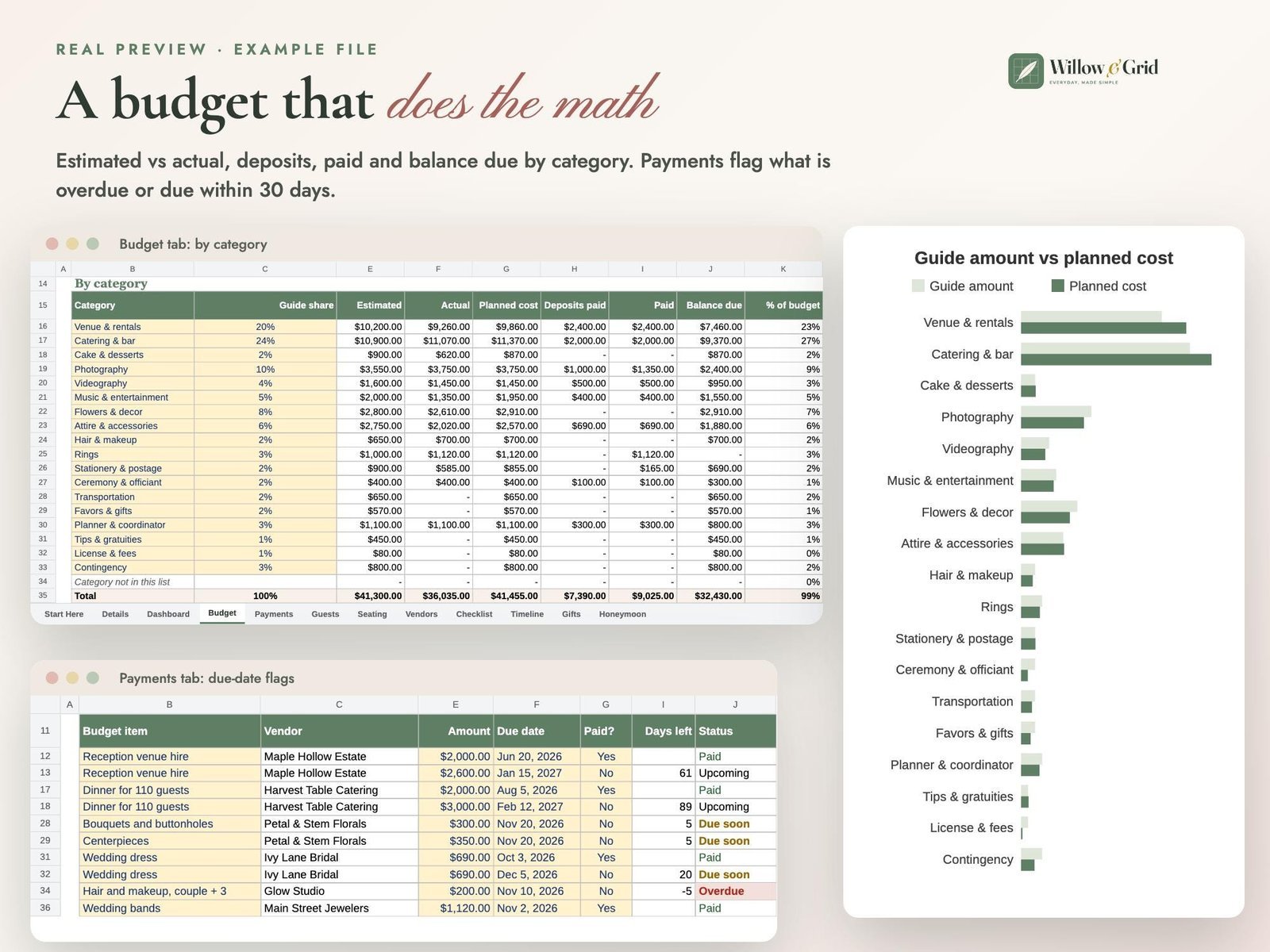
- Budget: 18 categories with guide shares, estimated vs actual, deposits, paid, balance due and % of total, with a chart
- Payment schedule: every deposit and installment with due dates, Paid ticks, and Overdue / Due soon flags
- Guest list & RSVPs: households and party size, side, invite sent, RSVP, meal choice, dietary needs, plus-ones, table, with counts by RSVP and meal
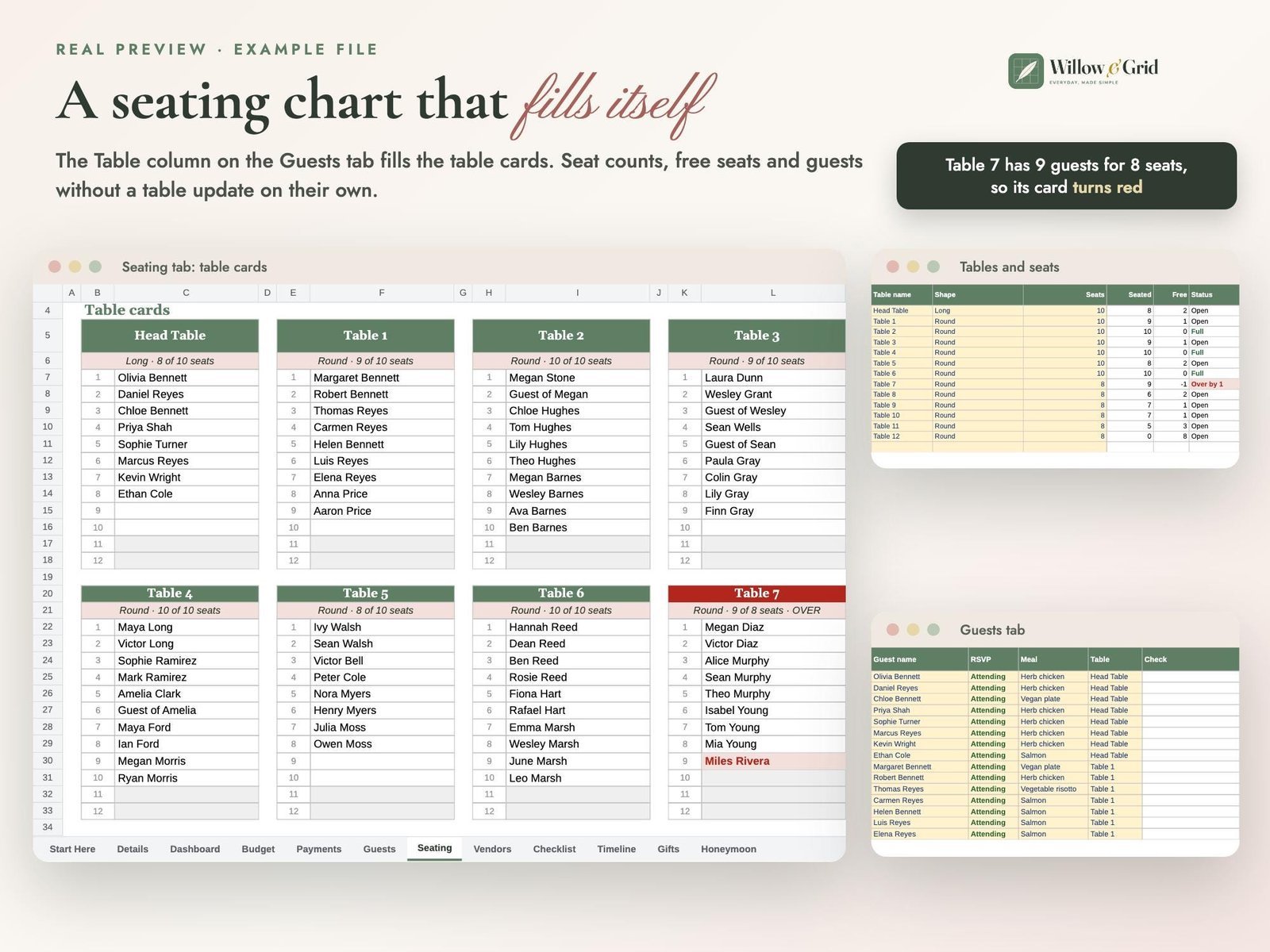
- Seating chart: up to 20 tables with seat counts; table cards fill from the guest list, over-capacity tables turn red, and a list shows who still needs a table
- Vendors: contacts, contract status, cost from the budget and what you have paid
- 12-month checklist: 82 tasks dated back from your wedding day, with % complete
- Day-of timeline with end times and an overlap check
- Gifts & thank-you tracker with a "Send now" flag after 14 days
- Honeymoon budget by category
- Start Here tab with a color key and a guide to every tab, plus a blank file and an example file
What's in the printable planner (37 pages, US letter + A4)
Cover, contents, wedding details, wedding party, vision and style, budget overview, budget tracker, payment schedule, 6 checklist pages by month, 4 guest list pages, seating charts for round tables of 8 and 10, head and long tables, reception floor plan, vendor comparison, 12 vendor contact cards, final week plan, wedding day timeline, day-of contacts and emergency kit, honeymoon planner, gift and thank-you pages, notes.
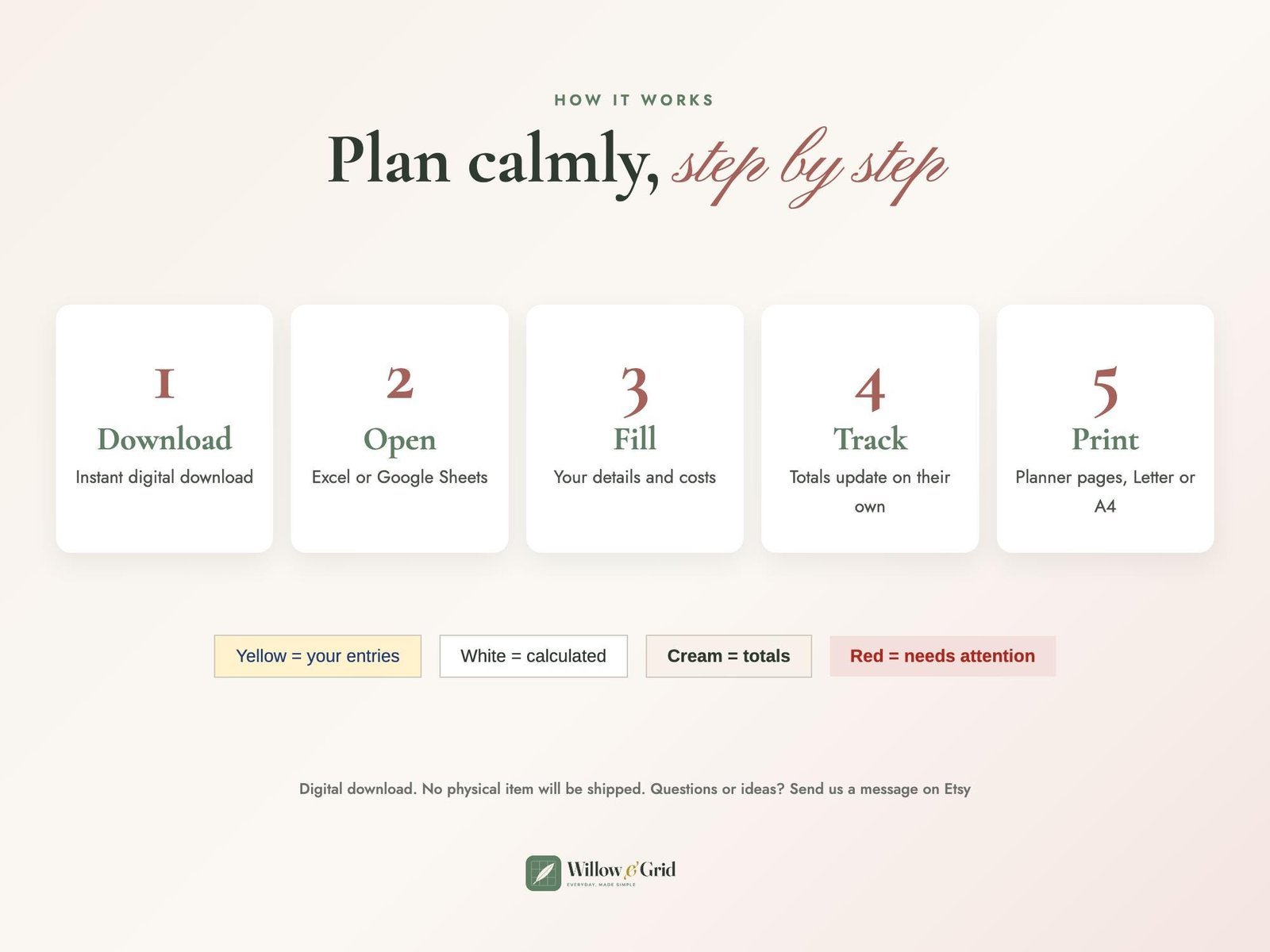
How it works
1. Download the files from your order confirmation page or the order email.
2. Open the .xlsx in Excel, or in Google Sheets.
3. Fill the yellow cells. Everything else is calculated for you.
4. Print the planner pages you need at home.
Good to know
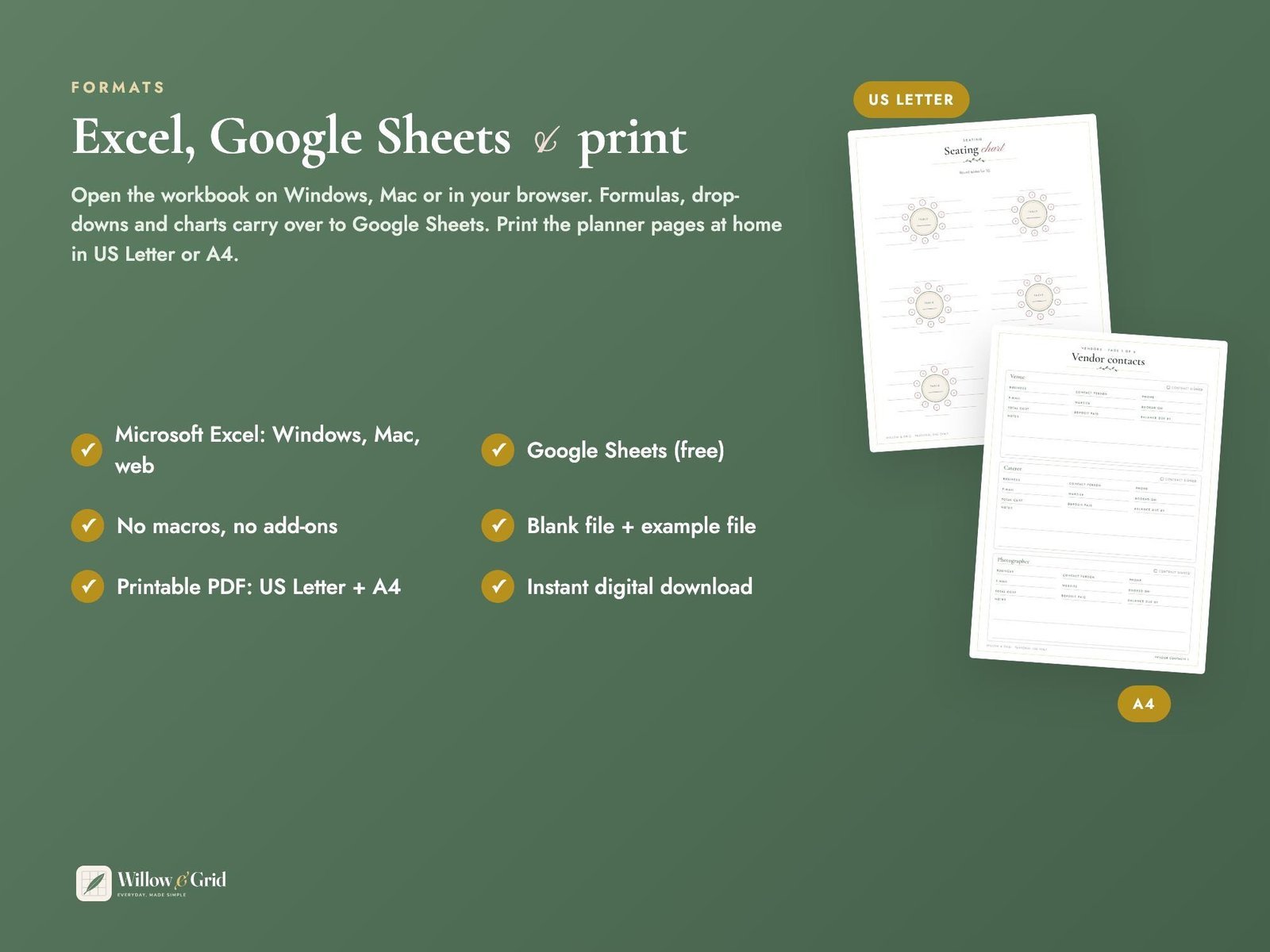
- Works in Microsoft Excel (Windows, Mac, web) and Google Sheets. No macros, no add-ons.
- Budget guide shares are a neutral starting point, not financial advice. Change them to suit your priorities.
- Calm blush, sage and gold design. Names, dates and text are yours to edit.
- Only need the budget? The one-tab Wedding Budget Tracker is in the shop too.
- Questions or ideas? Send us a message at willowandgrid.com/contact.
Digital file. No physical item will be shipped. Personal use only, please do not share or resell. Designed by Willow & Grid with the help of AI tools, then checked and finished by hand.